

Sketch Checking in Siemens Designcenter: A Quick Tech Tip
Sketch Checking in Siemens Designcenter is a powerful feature that helps identify and resolve sketch issues before they impact your design. In CAD design, a sketch may look perfectly fine at first glance—but the real problems often appear later, when features fail or behave unexpectedly. These issues are often caused by incorrect or missing geometric …

How to Create Blend Curve on Surface using Siemens NX?
In this TechTip, we will learn how to create a fillet blend curve between two intersecting curves on surfaces, use the Blend Curve on Surface command, allowing you to trim or keep the input curves, lock the radius, if necessary, specify a complement blend arc, select curves spanning multiple surfaces, and make the blend associative …

What is NX CAD Design Software? – Introduction 101
Welcome to our comprehensive guide on NX CAD Design Software! In this blog, we’ll take a deep dive into this powerful product engineering software by Siemens, exploring its introduction, features, flexibilities, and how to master it. Whether you’re new to CAD or looking to expand your knowledge, this guide will provide valuable insights into one …
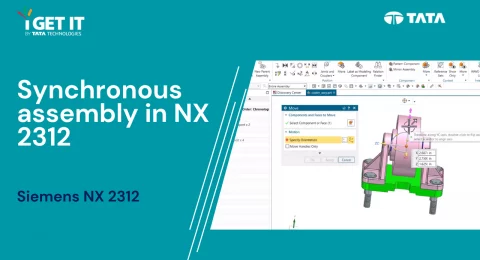
How to Use Synchronicity in NX 2312 Assemblies
Synchronicity in an assembly enables to configure the components and chosen facets in various modeling components in a single operation. This is time efficient, as it provides an aid for quick reconfiguring the components of an assembly while analyzing in case of design changes. …
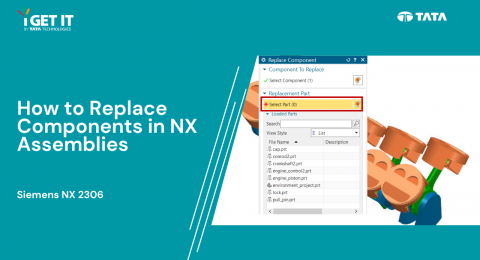
How to Replace Components | NX Assemblies
Overview: This TechTip provides a detailed walkthrough on the process of replacing a component within an assembly using Nx software. The objective is to substitute an existing part for a specified component efficiently. Follow the steps outlined below to achieve the desired result. Step 1: Begin by opening the file "replace_components\replace_components.prt." Step 2: Navigate to the Assemblies tab, then select …
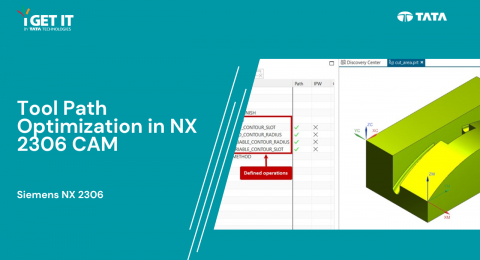
How to Tool path optimization | NX 2306 CAM
In this Tech Tip, we explore the advanced tool path optimization capabilities of Siemens NX 2306 CAM through the innovative "Cut Area" method. This technique provides a more refined control over tool paths, eliminating the need for additional geometry to guide the tool. …
- 1
- 2